Archive for the 'OS X' Category

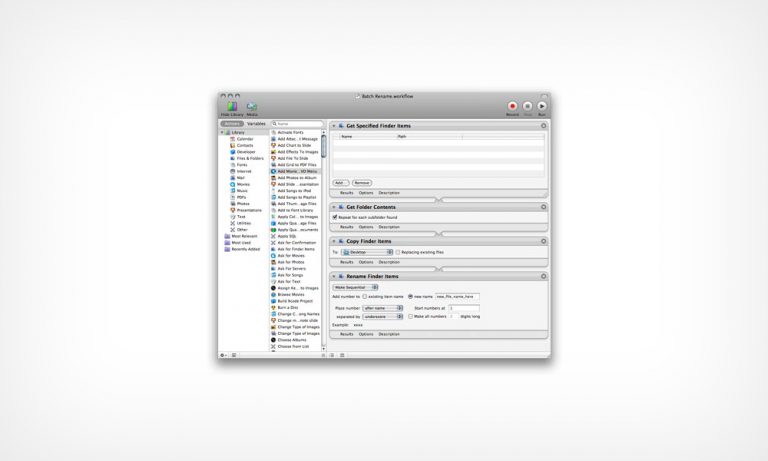
OS X Workflow: Batch Editing - Renaming a Long List of Files

I’m not sure if this will apply to everyone in the design world, but renaming a huge list of files can be a real pain, and I’ve found myself in need of batch editing countless times. It’s so much faster and easier to do a “Batch Rename” to save a ton of time, and a ton of clicks. OS X has a built-in utility called Automator that can do just that, among many other things. I’ll keep it simple for now, but depending on the reaction I get, maybe I can go into more detail about Automator in future posts.

OS X Workflow: Batch Editing - Renaming a Long List of Files
Read the rest of this entry »

OS X: Convert Any Application Icon to 512 x 512 Image File

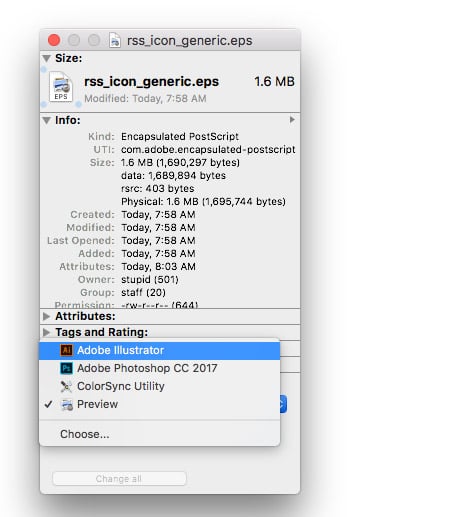
This might be a tip that is more useful for bloggers or tech writers than designers, but I’ve found myself in this situation plenty of times. I need an application icon to use as an image for one reason or another, I can’t find a decent one online, and all of the crappy conversion shareware software is just wasting my time. I came across a very neat trick over at Macosxhints that was super simple and no 3rd party software is required. If you have OS X you can use the Terminal App (Applications > Utilities) to convert any ICNS file to an image format that can be used in whatever Photoshop.

OS X: Convert Any ICNS Icon to 512 x 512 Image File

Read the rest of this entry »

OS X Workflow: Save a Click When Using Stacks

We all love those little tips that save us a click or two, and I’ve got another one for you. For those of you on a Mac, you might remember how I showed you a faster way to install Photoshop brushes. This little click saver is pretty much the same thing. Details after the jump.

OS X Workflow: Save a Click When Using Stacks
Read the rest of this entry »

Mac Users: A Note on Adobe Keyboard Shortcuts

[OS X 10.5] While having a Volume, Brightness, Pause/Play buttons integrated into my keyboard may be convenient, it really drives me crazy that my function keys don’t, well…function like I want them to in Photoshop. (or illustrator, etc.) I want to show you a way that I managed to get around this while keeping the functionality of the media buttons at the same time.

Mac Users: A Note on Adobe Keyboard Shortcuts
Read the rest of this entry »

Workflow: OS X 10.5.2 Fixes Stacks!!!

Whatever kind of designer you are (be it web, print, 3D, multimedia, etc.), you most likely rely on quite a few different apps on a regular basis, and you’re always looking to improve your workflow efficiency. With the release of OS X 10.5, we were introduced to stacks. A feature that promised everyone a clutter-free desktop environment. I don’t know about everyone else, but I was more than dissatisfied with stacks. Good news folks. Apple released 10.5.2 today, and one of the fixes I was personally hoping for came true. Stacks have been beefed up, and we got our list view back! This really made my day. No more 3rd party apps like HierarchialDock to keep my desktop clean. Thanks for listening to us Apple!

Workflow: OS X 10.5.2 Fixes Stacks!!!
Read the rest of this entry »